Blog content planning guide for small businesses 2026

You’ve been posting blogs for months, maybe even a year, and the results are… underwhelming. Traffic’s flat, leads aren’t flowing, and you’re starting to wonder if blogging is just another marketing myth. Here’s the truth: blogging works brilliantly when you have a plan, and falls flat when you don’t. Small businesses need a strategic, efficient approach to turn blog content into a genuine growth engine. This guide walks you through exactly how to plan blog content that delivers measurable results, step by step.
Table of Contents
Key Takeaways
Point | Details |
Tie content to business goals | Align your blog strategy with clear business objectives for maximum impact. |
Plan with essential tools | Set up a content calendar and use key resources to streamline blog creation. |
Focus on quality posts | Aim for one high-quality blog post per week to drive engagement and results. |
Track and adapt | Consistently monitor performance metrics and update your plan to improve outcomes. |
Assess your business goals and blog purpose
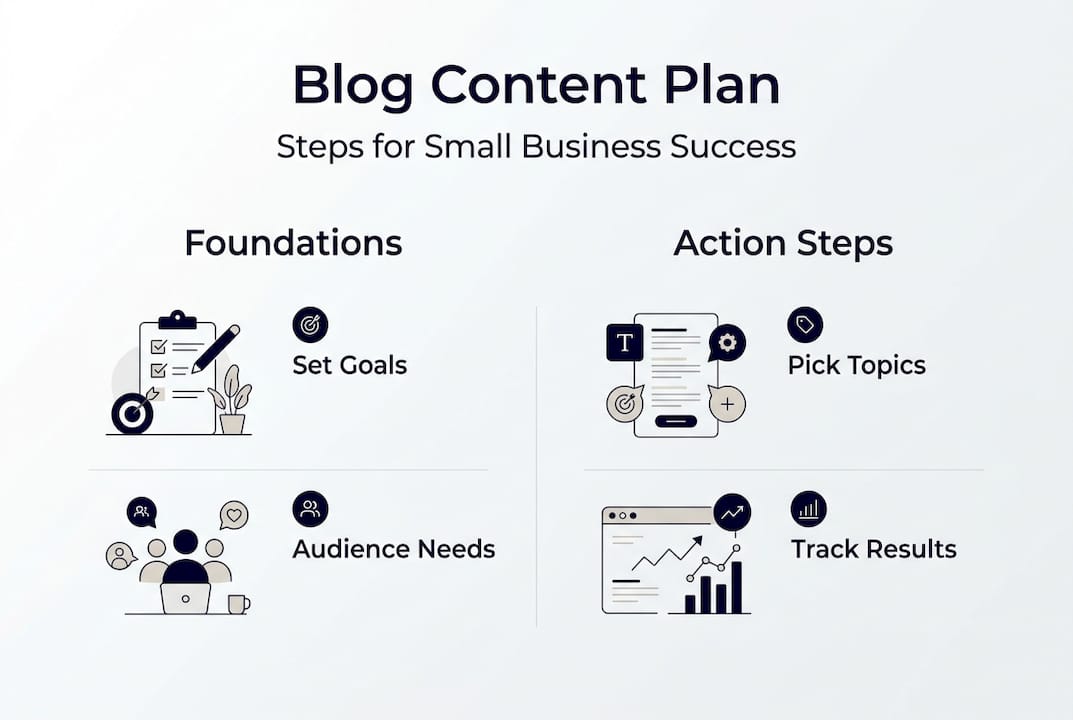
Before you write a single word, you need to know why you’re blogging in the first place. Are you chasing more leads? Building brand awareness? Boosting SEO rankings? Driving conversions? Your blog should serve your business, not exist in a vacuum.
Start by defining your primary goal. If you’re a local service business, lead generation might be your north star. If you’re building a personal brand, awareness and authority could be the priority. Write down your main objective and keep it visible throughout your planning process.
Next, identify your core audience and their needs. Who are you writing for? What keeps them up at night? What questions do they ask before buying? Your content strategy for business should speak directly to these pain points and aspirations.
Now list content themes that directly link to your business priorities. If you sell accounting software, themes might include tax planning, bookkeeping tips, and financial compliance. If you run a fitness studio, think workout routines, nutrition advice, and wellness trends. These themes become your content pillars.
Finally, set clear objectives for each post. One post might educate readers about a common problem. Another might drive them to book a consultation. A third might retain existing customers by deepening their knowledge. Every post needs a job to do.
Pro Tip: Research shows recommended publishing frequency for small businesses is one high-quality post per week, prioritising quality over quantity. Don’t burn yourself out chasing daily posts. One killer article beats five mediocre ones every time.
Gather tools and resources for effective blog planning
Once your goals are set, preparing the right tools and resources makes execution much easier. You don’t need a massive budget or fancy software, but you do need the essentials organised and ready to go.
Here’s a quick overview of what you’ll need:
Tool Type | Purpose | Examples |
Content Calendar | Schedule posts, track deadlines | Google Sheets, Trello, Notion |
SEO Tool | Research keywords, track rankings | Ubersuggest, SEMrush, Ahrefs |
Writing Platform | Draft and edit content | Google Docs, WordPress, Grammarly |
Image Sources | Visual content for posts | Unsplash, Canva, Pexels |
Scheduling Software | Automate publishing | WordPress scheduler, Buffer |
Let’s break down what each tool does. Your content calendar keeps you organised and consistent. It’s your command centre for planning topics, assigning deadlines, and tracking progress. A simple spreadsheet works perfectly for most small businesses.
Your SEO tool helps you find what people are actually searching for. You’re not guessing at topics anymore. You’re using data to identify high-value keywords and content gaps your competitors haven’t filled.

Your writing platform is where the magic happens. Pick something comfortable and collaborative if you’re working with a team. Google Docs is brilliant for feedback and edits. WordPress is ideal if you’re publishing directly.
Image sources give you professional visuals without hiring a photographer. Canva lets you create custom graphics in minutes. Unsplash and Pexels offer stunning free stock photos.
Scheduling software automates your publishing workflow. Write posts in batches, schedule them weeks in advance, and free up your time for other priorities.
Pro Tip: Use templates for everything. Create a blog post template with your standard structure, a content calendar template with recurring tasks, and an SEO checklist template to ensure nothing gets missed. Templates save hours and maintain consistency.
Here’s a quick resource list to get started:
Free content calendar templates from Google Sheets or Notion
Free SEO tools like Ubersuggest or Google Keyword Planner
Free writing tools like Grammarly or Hemingway Editor
Free image sources like Unsplash, Pexels, or Pixabay
Free scheduling via WordPress or social media platforms
For more on improving content workflow, check out our guide on streamlining your process. You’ll also find tons of content creation ideas and marketing blog resources to spark inspiration.
Create a content calendar and topic plan
With the tools ready, now it’s time to design your actual publishing schedule and choose the topics that will deliver results. This is where planning transforms from theory into action.
Start by choosing your publishing frequency. For most small businesses, one high-quality post per week hits the sweet spot. It’s sustainable, gives you time to create depth, and keeps your audience engaged without overwhelming them.
Next, select your topics. Pull from your content themes and use your SEO tool to validate demand. Look for keywords with decent search volume and manageable competition. Prioritise topics that align with your business goals and audience needs.
Now assign deadlines. Work backwards from your publish date. If you’re posting on Mondays, set your writing deadline for Thursday, editing for Friday, and final review for Sunday. Build in buffer time for unexpected delays.
Here’s a comparison of manual versus automated scheduling:
Approach | Pros | Cons | Best For |
Manual Scheduling | Full control, flexible adjustments | Time-consuming, prone to errors | Small teams, irregular posting |
Automated Scheduling | Saves time, consistent publishing | Less flexibility, requires setup | Regular posting, larger volume |
Follow these steps to draft your calendar:
Choose your publishing frequency and set recurring publish dates for the next 12 weeks
Brainstorm 20-30 topic ideas based on your content themes and keyword research
Prioritise topics by business impact, search demand, and audience interest
Assign topics to specific publish dates, balancing variety and strategic focus
Add deadlines for drafting, editing, and final review for each post
Block time in your actual work calendar to execute each task
Review and adjust your calendar monthly based on performance and changing priorities
Pro Tip: Leave 20% of your calendar flexible for trending topics or timely content. If something relevant explodes in your industry, you want the freedom to pivot and capitalise on the moment. Rigid calendars miss opportunities.
For more on content planning for lead generation and content marketing examples, explore our related guides.
Draft, edit, and optimise your blog posts
After your calendar is set, you need a repeatable process to craft and polish each blog post for maximum impact. This is where good planning meets great execution.
Here’s your step-by-step writing and editing workflow:
Research your topic thoroughly, gathering data, examples, and expert insights
Create a detailed outline with headings, subheadings, and key points for each section
Write your first draft quickly without stopping to edit, focusing on getting ideas down
Take a break, then return to edit for clarity, flow, and readability
Optimise for SEO by adding keywords naturally, writing compelling meta descriptions, and using proper heading structure
Add visuals, links, and formatting to enhance engagement and scannability
Proofread for grammar, spelling, and consistency before publishing
Now let’s talk optimisation best practices:
Use your target keyword in the title, first paragraph, and at least one subheading
Write meta descriptions that entice clicks and include your keyword
Break up text with short paragraphs, bullet points, and subheadings
Add internal links to related content and external links to authoritative sources
Include clear calls-to-action that guide readers to the next step
Optimise images with descriptive file names and alt text
Ensure your post is mobile-friendly and loads quickly
Pro Tip: Quality beats quantity every single time. One high-quality post per week outperforms five rushed, shallow posts. Invest the time to make each article genuinely valuable.
“Recommended publishing frequency for small businesses is 1 high-quality blog post per week (1,500+ words), prioritising quality over quantity.”
This isn’t just advice, it’s backed by data. Longer, more comprehensive posts rank better, generate more engagement, and convert more readers into customers. Don’t chase volume. Chase value.
For more content creation tips and digital marketing planning, dive into our resource library.
Analyse results and adapt your approach
Writing is just the beginning. Monitoring and adjusting ensure your blog delivers steady results for your business. Without analysis, you’re flying blind.
Start by tracking these key metrics:
Blog traffic: How many people are visiting your posts?
Conversions: Are readers taking your desired actions (signing up, booking calls, buying)?
Engagement: Are people reading to the end, commenting, or sharing?
SEO rankings: Are your posts climbing search results for target keywords?
Use Google Analytics to monitor traffic and behaviour. Check your conversion tracking to see which posts drive the most leads or sales. Review your SEO tool to track keyword rankings over time.
Now make adjustments based on what you learn:
Double down on topics that perform well by creating related content
Update underperforming posts with better optimisation, visuals, or depth
Experiment with different formats like lists, how-tos, or case studies
Adjust your publishing frequency if you’re struggling to maintain quality
Refine your calls-to-action based on conversion data
The beauty of blogging is that every post teaches you something. One post might reveal a keyword goldmine. Another might show you a content format your audience loves. A third might expose a gap in your strategy.
Review your blog performance monthly. Look for patterns. Celebrate wins. Learn from misses. Adapt your calendar and approach based on real data, not guesses.
For inspiration, check out blog performance examples and explore content workflow improvements to keep refining your process.
Get expert help to accelerate your blog results
If you want to speed up your success and avoid costly missteps, consider tapping into expert support. Planning and executing a blog strategy takes time, skill, and experience. Sometimes the fastest path forward is learning from someone who’s already done it.

At M50 Media, we specialise in helping small businesses build content strategies that actually work. Whether you need help planning your calendar, optimising your posts, or analysing your results, we’ve got you covered. Our business coaching programmes give you personalised guidance tailored to your goals and industry. If you’re stuck and need quick answers, our marketing SOS call gets you unstuck fast. And if you’re ready to dive deeper, explore our full range of business coaching services designed to accelerate your growth. You don’t have to figure this out alone. Let’s build something great together.
Frequently asked questions
How often should small businesses post new blogs?
One high-quality blog post per week is recommended, focusing on posts longer than 1,500 words for best results. Consistency and depth matter more than frequency.
What tools do I need for blog content planning?
You need a content calendar, writing platform, SEO tool, image sources, and scheduling software. Free options like Google Sheets, Ubersuggest, and Canva work brilliantly for most small businesses.
What should I measure to know if my blog is successful?
Track blog traffic, conversions, engagement, and SEO rankings to monitor success. Use Google Analytics and your SEO tool to gather data, then adjust your strategy based on what performs best.
How can blog content planning boost my business growth?
Strategic blog planning ensures every post supports business goals, improves engagement, and increases leads or sales. When your content aligns with audience needs and business priorities, results follow naturally.
Recommended
Comments